SleepLog
Free
- Track 5 nights in a row, then every other night
- Each night's score, timeline and 3 key recordings
- Your last 14 days of nights
- Wake Missions and the smart alarm
- Rain sleep sound and the bedside clock
- Share a night's report
 SleepLog
Get the app
SleepLog
Get the app
Free snoring app for iPhone
Put your iPhone by the bed and go to sleep. In the morning, hear what happened and see how you slept.
SleepLog records snoring, coughing and sleep talking, scores every night from 0 to 100, then wakes you with a gentle alarm you can't snooze through.
Scan with your iPhone camera to get SleepLog
Free to start · iPhone · No account needed
Your night, heard
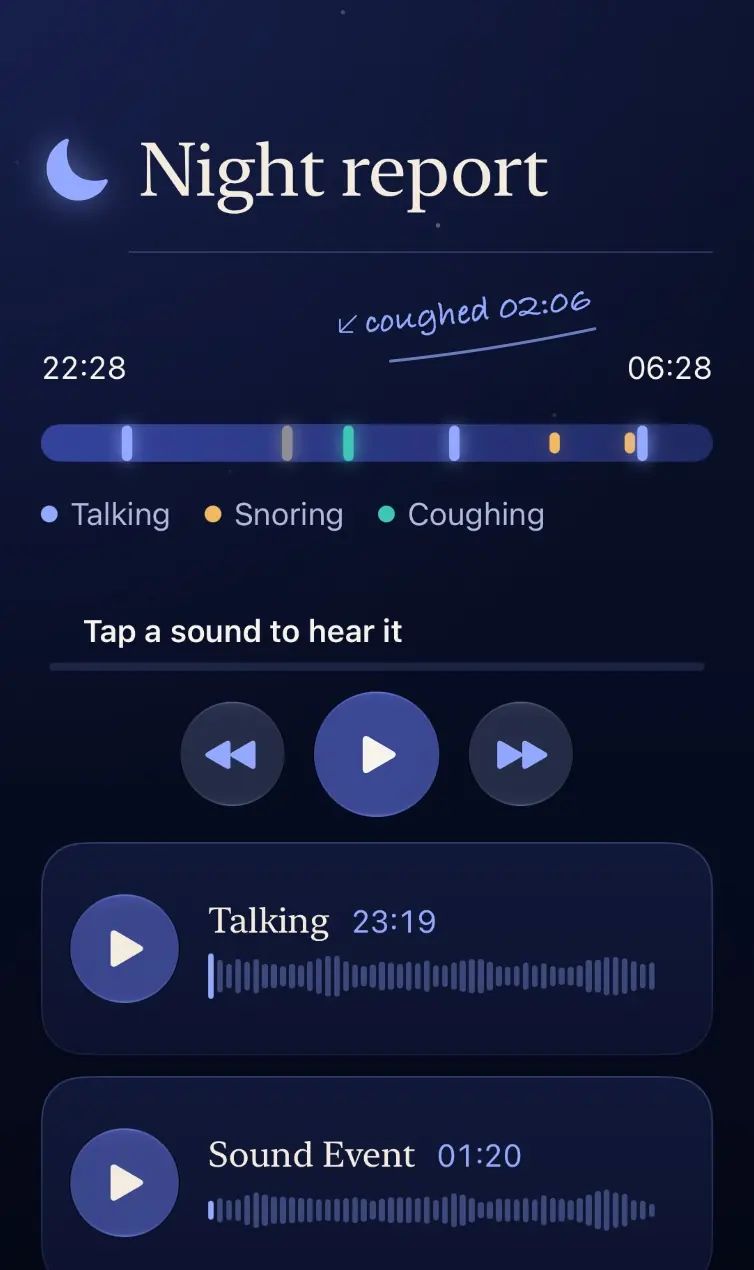
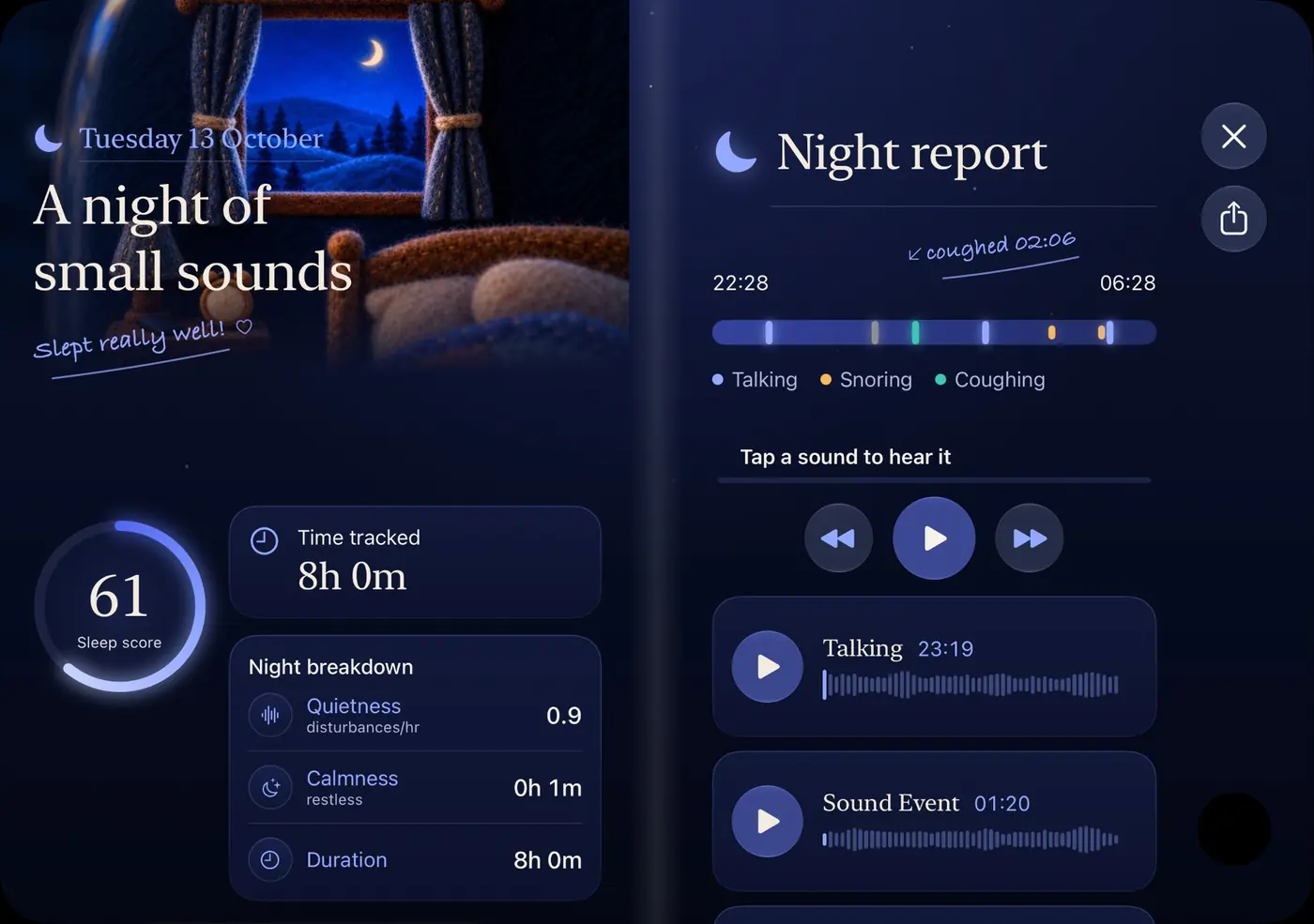
SleepLog listens through your iPhone's microphone all night and notices when a sound stands out from the quiet of your room. It picks out snoring, coughing and sleep talking, saves a short recording of each, and puts them on a timeline of your night.
In the morning, tap any mark to play it back. No more guessing whether you snore, or taking someone's word for it.
tap a mark, hear the moment
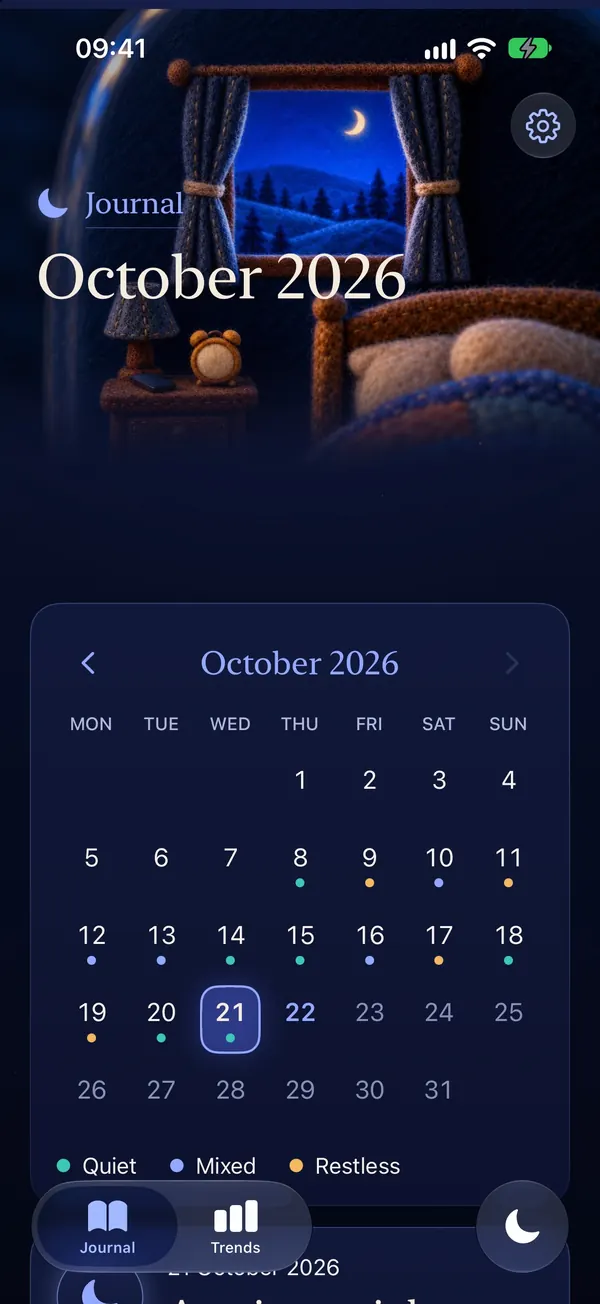
Every morning
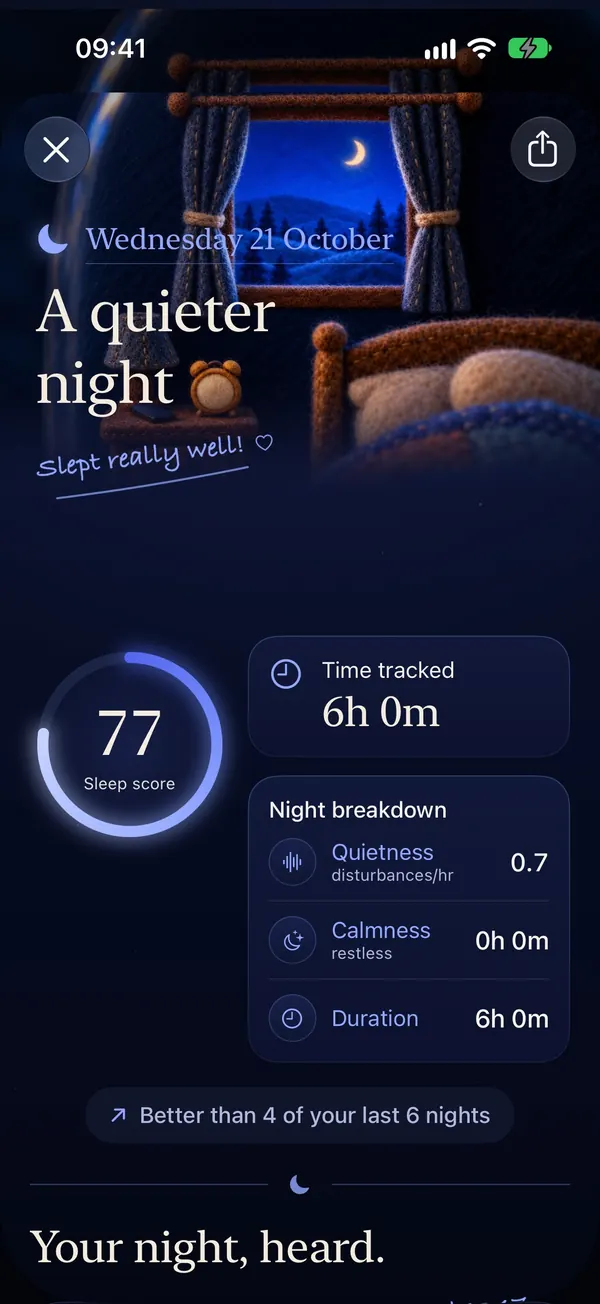
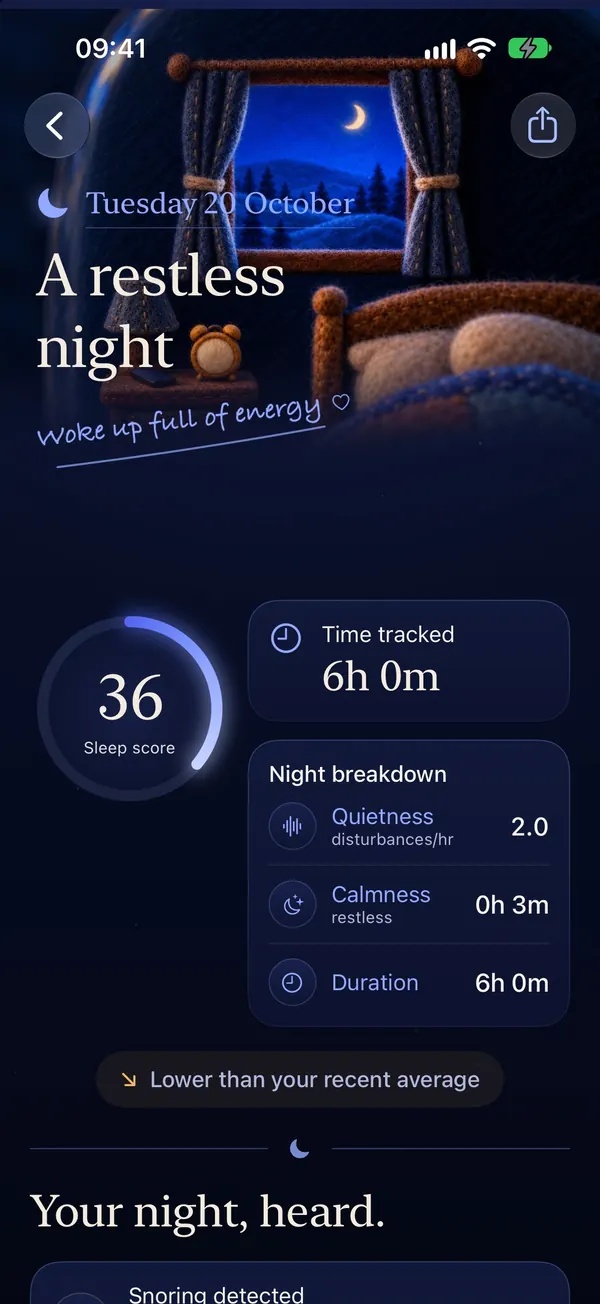
Every night gets a score from 0 to 100, based on how often your sleep was disturbed and how loud it got. SleepLog sums the night up in plain words, like "A quieter night", and tells you how it compares with your last few nights.
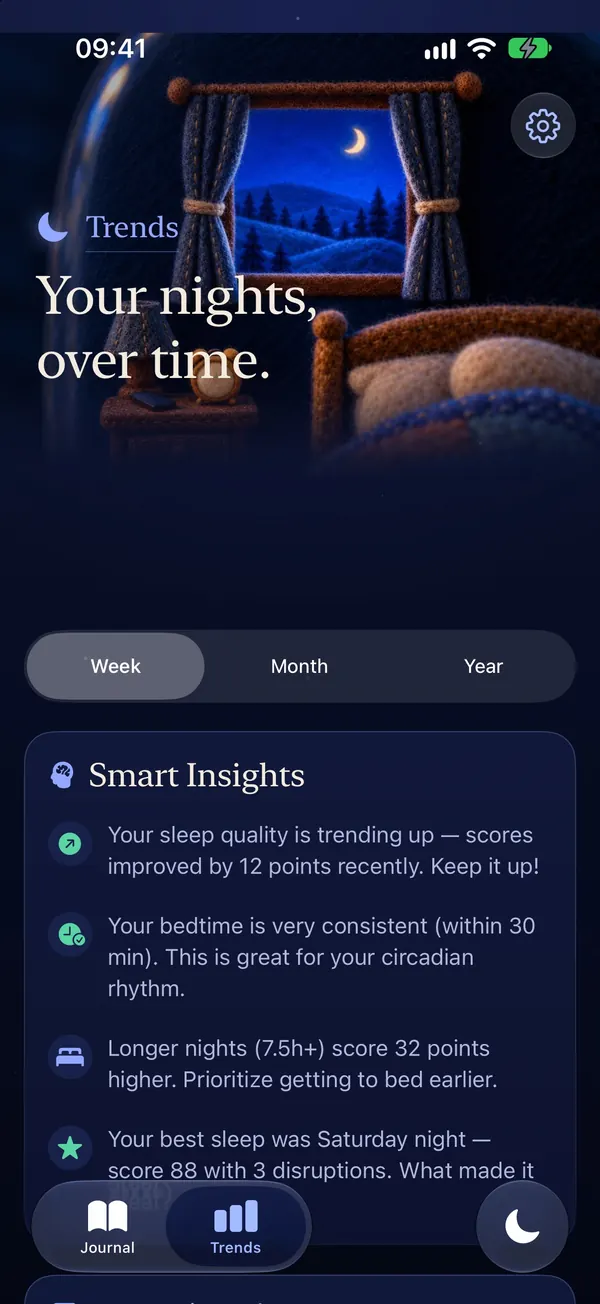
With Premium, Trends adds charts of your score and sleep time, your sleep debt against your goal, and insights such as how coffee, alcohol, exercise or stress change your nights.
Wake up
Pick a smart window of 15, 30 or 45 minutes. If your night sounds lighter inside it, SleepLog wakes you then, rather than in the middle of a deep stretch. Otherwise it rings at your alarm time.
Then a Wake Mission keeps the alarm going until you've finished it, so you can't switch it off half asleep.
Three levels, from easy (Rise) to hardest (Locked In). Wake Missions and the smart alarm are free.
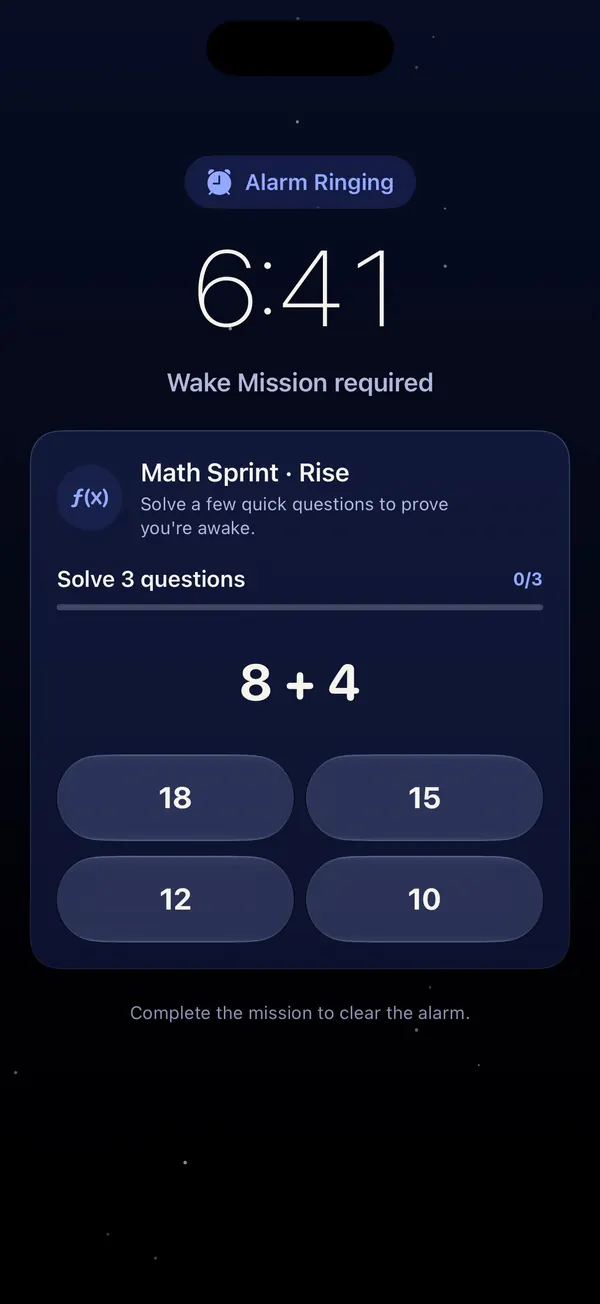
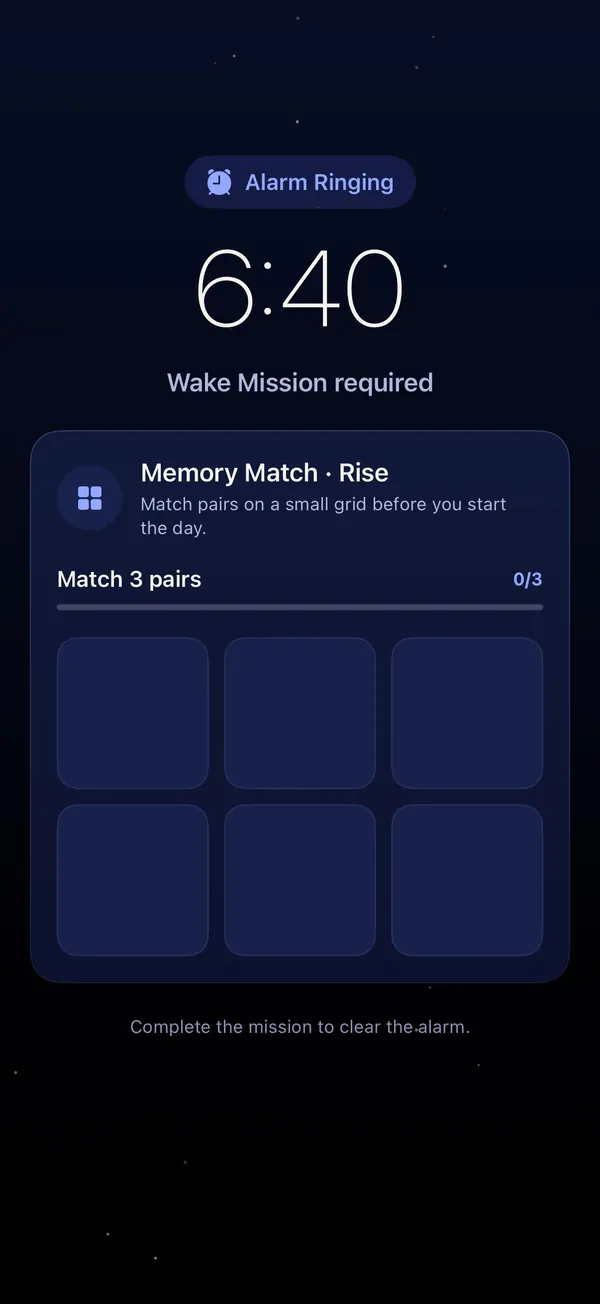
no snoozing through this one
Falling asleep
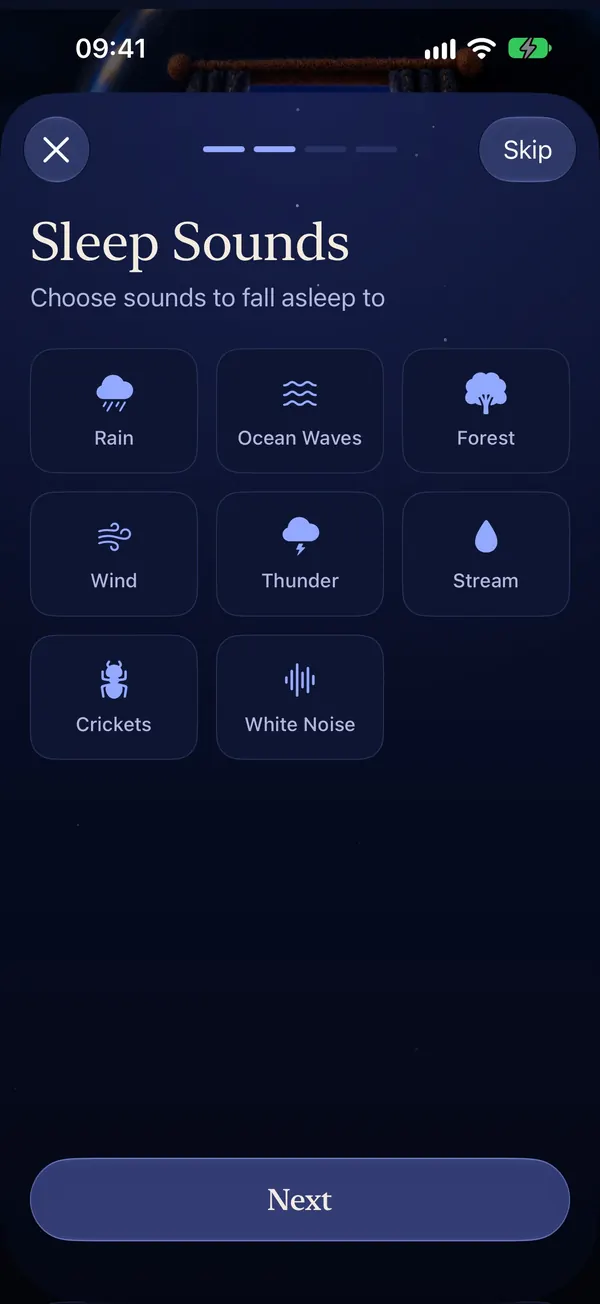
Fall asleep to rain, ocean waves, a forest, white, pink or brown noise and more: 16 sleep sounds. Mix a few, set the volume and a timer so they stop once you've drifted off. They keep playing while SleepLog listens.
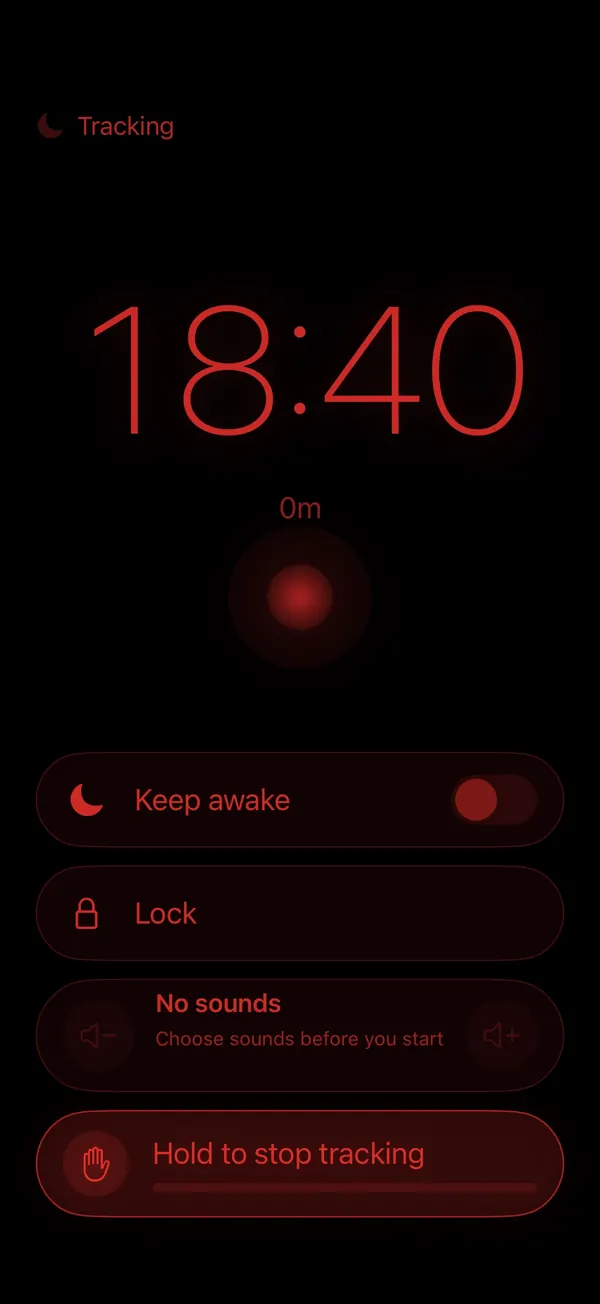
Then your phone becomes a bedside clock: dim red numbers on black, easy on sleepy eyes. Lock it so a stray tap can't stop the night, and hold to stop when you wake.
Rain is free. All 16 sounds come with Premium.
iPhone Duo
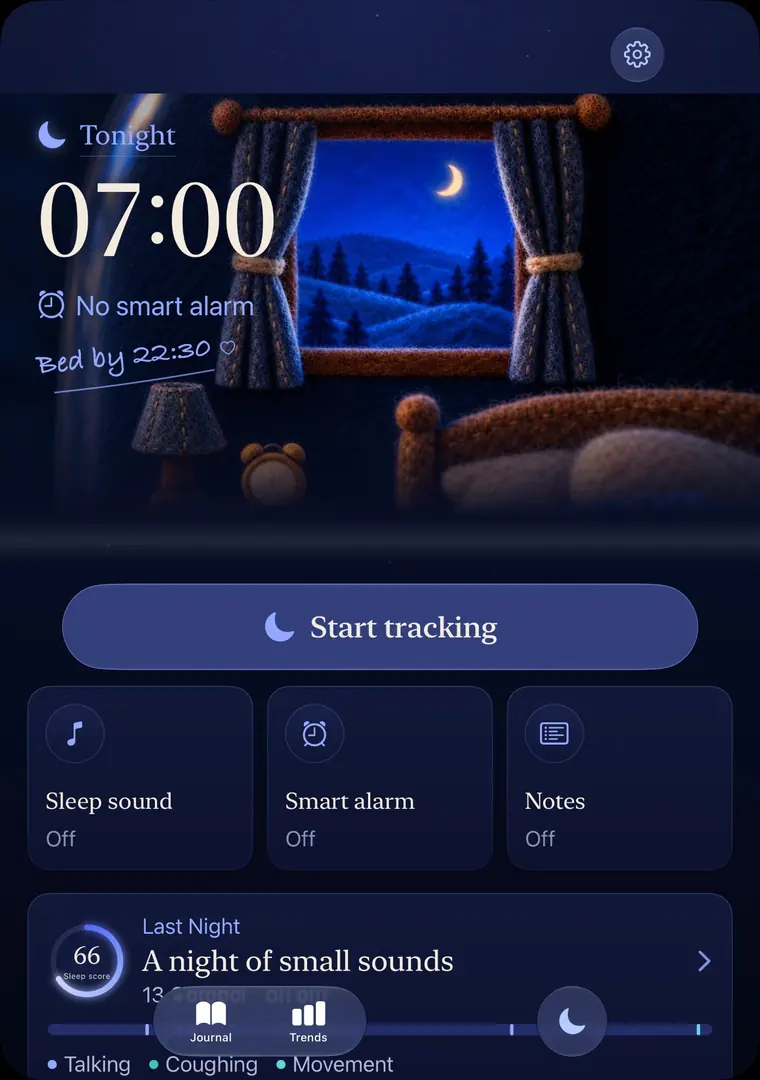
Open it like a book and your night report fills two pages: your score on the left, the timeline and recordings on the right. Stand it half open on the nightstand and your wake time sits on top, with the controls below.
Free to start
No trial clock on the basics. Track for free as long as you like, and upgrade only if you want every night.
Free
Optional subscription
Plans and any free trial are shown in the app before you buy.
Recordings and sleep history are kept on your iPhone, not uploaded to us. No account, no sign-up. Delete a night and its recordings go with it.
Yes. SleepLog is free to download and free to use. Track 5 nights in a row, then every other night, each with its score, timeline and 3 key recordings, plus your last 14 days. SleepLog Premium is an optional subscription that adds tracking every night, every recording, your full history and Trends, and all 16 sleep sounds.
SleepLog listens through your iPhone's microphone while you sleep and saves a short clip, up to 15 seconds, when a sound stands out. Recordings and your sleep history stay on your iPhone. They are not uploaded to us, and you don't need an account. You can delete any night, and its recordings go with it.
No. SleepLog only needs your iPhone. Put it on your nightstand, start tracking and go to sleep.
No. SleepLog is not a medical device and doesn't diagnose or treat anything. It's a general wellness app that helps you notice how you sleep. If you're worried about loud snoring, gasping or pauses in your breathing, talk to a doctor.
Not yet. SleepLog is available for iPhone on the App Store.
Free on iPhone. Find out tomorrow morning.
Scan with your iPhone camera to get SleepLog